Black Friday and sales
One end date for the whole list. Set the day and time in your time zone and the timer ends for everyone at once.
Down to the last second.
Design a countdown GIF, copy the code and paste it into your email platform. Every time someone opens the email, the GIF shows the real time left.
More than 1.4 million GIFs served since March 2026 (as of October 1, 2026)
Everything without a badge is free. Anything marked Starter or Pro can be tried in the preview; to use it in an email you need that plan.

Animated GIF. Recalculated every time the email is opened.
Pick when it ends and how it looks. The preview shows the GIF exactly as your customer will see it.
Press Create timer, copy the HTML or the image URL and paste it into a block in your email platform.
The GIF is rendered the moment the email is opened, so the time shown is the real one.
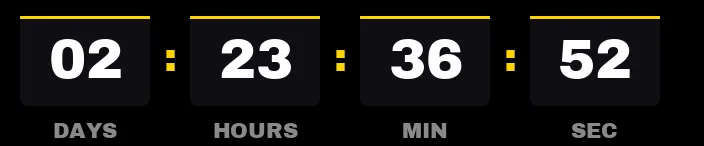
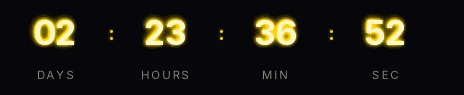
Opened Thursday at 10:42, 2 d 23 h 36 min left
The countdown is a GIF image with a URL, so it works in any platform that lets you insert an image or an HTML block. Pick yours to see where it goes in each editor.
Outlook for Windows: animated in Microsoft 365, 2021 and 2024; some older versions only show the first frame, with the right time at the moment of opening
One end date for the whole list. Set the day and time in your time zone and the timer ends for everyone at once.
Offers that last a few hours. With the seconds on show, the movement is obvious as soon as the email opens.
Count down to the opening or the live session. At zero it can say "Available now" instead of 00:00.
Each person gets their own deadline from the moment they open the email. It is a per-recipient evergreen timer, on the Starter plan.
Yes. The generator is free, needs no signup and the GIF has no watermark. A small line with our name under the digits only appears in two cases: a timer without an account that goes over 25,000 impressions in a month, or a free account whose timers add up to more than 50,000 in the month. On paid plans, never.
Press Create timer and copy the code. In Mailchimp, Brevo, HubSpot or Mailjet, paste it into an HTML block. In Klaviyo, use an HTML block with the code from the Klaviyo tab. In Shopify Email, a custom Liquid section.
Yes. The GIF is rendered on our server when the email app requests the image, so every open shows the time left at that moment.
Yes. Gmail (web and app) and Apple Mail show animated GIFs, so the seconds keep running while the email is read.
Outlook for Microsoft 365, 2021 and 2024 and Outlook on the web show it animated. Some older versions of Outlook for Windows only show the first frame: the time shown is right at the moment of opening, but it does not tick.
It shows the text you type in "End text" (by default, "Offer ended") or it hides, depending on what you choose in the generator.
No. The date is the same for the whole list, in the time zone you pick: the timer hits zero for everyone at once. If you want each person to get their own deadline, use an evergreen timer.
It is a countdown that starts the first time each recipient opens the email, for example 48 hours to use a welcome coupon or recover a cart. You can create it for free; giving each person their own deadline takes your platform's merge tag in the URL, included from the Starter plan.
Yes. The GIF is served from our URL, so when you edit the timer it changes in emails already sent too. Timers you create without an account are saved in your browser and move to your free account when you sign up; from there you can edit them any time.
Yes. Turn on "Transparent background" and the GIF is rendered with no background, so your template color shows behind the digits.
As many as you need. Each timer has its own URL. Without an account, the limit is 30 timers per hour from the same connection.
There are 30 Google Fonts and labels already translated into 9 languages, from Catalan to Korean. You can also type your own labels in any language.
We count how many times each timer is downloaded, per hour. We do not store email addresses: in evergreen timers, each recipient's identifier is stored as a hash. The privacy policy has the details.
Starter is $7 a month: 200,000 impressions, never branded, plus evergreen and recurring timers.