Cyber Monday countdown template in blocks
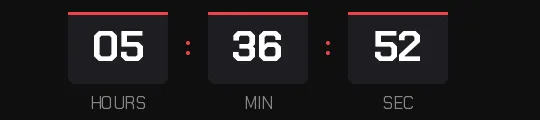
Cyber Monday lasts one day, and the email that goes out that Monday morning counts down to the close that night. So this template has no days box and shows only hours, minutes and seconds, because on Monday nothing more is needed.
Free style: no signup and no watermark up to 25,000 impressions a month.

The digits are set in Orbitron, a wide geometric typeface that looks like a digital display and suits the name of the day. Electric blue only shows up in the bar above each box and in the separators. Everything else is white on near-black, so it's easy to tell apart from the Black Friday yellow your list saw three days earlier.
If you send the heads-up on Sunday or stretch the offer into a full week, nothing is lost: the hours absorb the days and the timer shows, for example, 40 hours. If you'd rather see the days, switch them on in the generator.
Set the closing time in your store's time zone and make the discount code expire at that same moment. If it keeps working afterwards, the timer loses credibility for your next offer. When it reaches zero it shows "Cyber Monday is over" or disappears, whichever you choose.
Blocks is a free style: you create it without signing up and it carries no watermark up to 25,000 impressions a month. Paste it into an HTML block in Klaviyo or Omnisend, or a custom Liquid section in Shopify Email.
How to use it
- Press Use this template: the generator on this page already has it loaded.
- Set your campaign's end date and time and check the time zone. Change anything you like: colors, font, units or the closing text.
- Press Create timer, copy the HTML and paste it into an HTML or code block in your email platform.
Create your timer from this template
The generator already has the template loaded. Change the date to your campaign's and press Create timer.

Animated GIF. Recalculated every time the email is opened.
Related templates
-
-
-
-
-
Christmas · Blocks
FREE -
Flash sale · Blocks
FREE