Black Friday countdown template with circles
Yellow digits inside dark circles feel friendlier than square boxes. This suits stores with a warmer voice, selling gifts, homeware or handmade products, that want to flag Black Friday without looking like a bargain site.
Free style: no signup and no watermark up to 25,000 impressions a month.
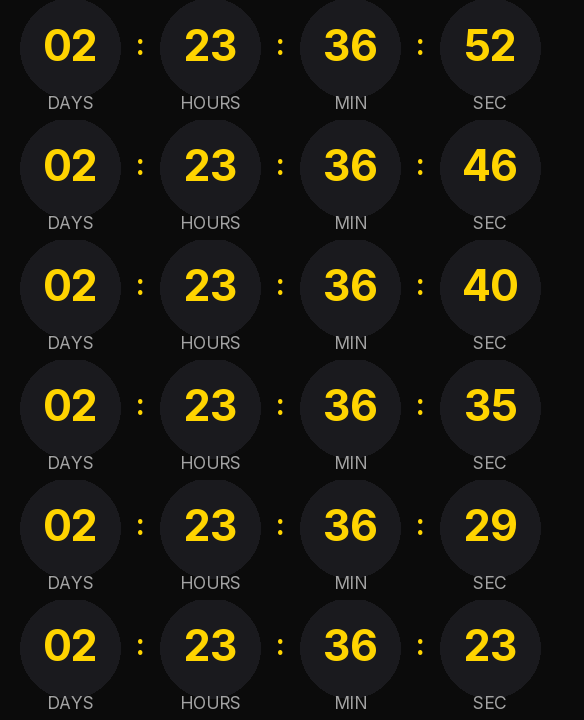
The yellow sits on the digits themselves rather than on a decoration, so the time is the first thing you see. The circles are a near-black gray on black: they give the timer structure without adding another color to the email.
Send it on Thursday night or Friday morning, with Sunday or Monday as the closing date depending on how long your campaign runs. If Black Friday turns into a whole week, change the timer's date instead of creating a new one. With a free account the change reaches emails you already sent, within about 30 seconds.
When it reaches zero it shows "Black Friday is over" instead of 00:00:00:00. Anyone who opens the email on Tuesday understands straight away that the offer has ended.
Rounded is free and carries no watermark up to 25,000 impressions a month. Paste it into a custom Liquid section in Shopify Email or an HTML block in Omnisend or Klaviyo.
How to use it
- Press Use this template: the generator on this page already has it loaded.
- Set your campaign's end date and time and check the time zone. Change anything you like: colors, font, units or the closing text.
- Press Create timer, copy the HTML and paste it into an HTML or code block in your email platform.
Create your timer from this template
The generator already has the template loaded. Change the date to your campaign's and press Create timer.

Animated GIF. Recalculated every time the email is opened.
Related templates
-
-
-
-
-
Christmas · Rounded
FREE -
Flash sale · Rounded
FREE